





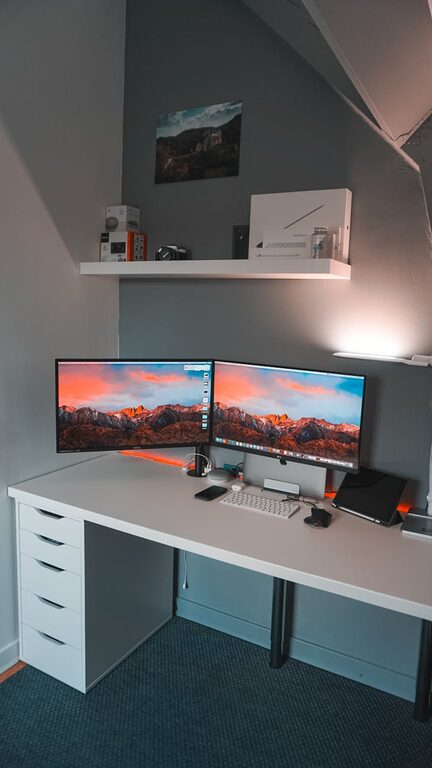
Creating and maintaining a clutter-free workspace at home can make a big difference in your productivity and overall well-being. When your desk and surrounding area are tidy, it’s easier to focus on your tasks, reduce stress, and enjoy working from home. In this post, we’ll walk you through simple yet practical tips to help you organize your home workspace efficiently.
Why a Clutter-Free Workspace Matters
A cluttered area can lead to distractions, make it difficult to find important documents or supplies, and even reduce your motivation. A clean and organized workspace encourages clear thinking and helps you maintain a routine. Plus, a visually pleasant setup can improve your mood and inspire creativity.
Step 1: Choose the Right Space
Before organizing, select a dedicated spot for your workspace. This could be a small corner in your living room, a spare bedroom, or a quiet nook. Ideally, it should have:
– Good natural light
– Minimal distractions
– Enough room for your desk and chair
– Easy access to power outlets
Having a designated area signals your brain that it’s time to work when you’re in that space.
Step 2: Declutter Your Desk
Start by clearing everything off your desk. Only put back the items you use regularly. This could include:
– Computer or laptop
– Notebooks or planners
– Essential stationery (pens, pencils)
– A lamp or small plant for ambiance
Avoid overcrowding your desk with unnecessary gadgets or papers.
Step 3: Manage Your Paperwork
Papers can quickly pile up and create visual chaos. To handle this:
– Use trays or folders labeled for different categories (e.g., bills, to-do tasks, manuals)
– Digitize important documents by scanning and saving them on your computer or cloud storage
– Recycle or shred papers you no longer need
A filing system helps you find documents easily and keeps your workspace neat.
Step 4: Storage Solutions Are Your Friends
Storage doesn’t have to be boring or bulky. Consider these solutions:
– Drawer organizers for stationery and small supplies
– Shelves or wall-mounted organizers to free up desk space
– Bins or boxes under the desk for infrequently used items
– Cable organizers or clips to prevent cords from tangling
Keeping things in designated spots reduces clutter and saves time spent searching.
Step 5: Keep Digital Clutter in Check
A clean physical workspace is important, but don’t forget your digital environment. Organize your computer files by:
– Creating clear folders for different projects or topics
– Regularly deleting or archiving files you don’t need
– Keeping your desktop screen tidy
– Using apps or tools that help you manage your workflow, like calendars or task lists
Digital organization complements your physical setup and boosts efficiency.
Step 6: Develop Daily and Weekly Habits
Organizing isn’t a one-time task. Establish simple habits like:
– Spending 5–10 minutes at the end of each day tidying your desk
– Reviewing and filing paperwork weekly
– Checking your digital files regularly for sorting or deleting
– Wiping down surfaces to keep your area clean
Consistent habits prevent clutter from building up again.
Step 7: Personalize Your Space Thoughtfully
Adding personal touches can make your workspace inviting without creating clutter. Ideas include:
– A framed photo or artwork
– A small plant or succulent
– A motivational quote displayed on a card or screen
– Comfortable chair cushions or desk mats
Choose items that inspire you but keep them minimal to avoid distractions.
Step 8: Ergonomics Matter Too
An organized workspace is also a comfortable one. Pay attention to:
– Chair height and support
– Desk height suitable for typing and writing
– Positioning your monitor at eye level
– Proper lighting to reduce eye strain
Comfort improves focus and makes working longer hours easier.
Final Thoughts
Organizing a clutter-free workspace at home is achievable with small, consistent steps. Start by clearing your space, adding smart storage, managing your paperwork and digital files, and committing to daily habits. Remember that a tidy workspace supports your productivity, creativity, and peace of mind. With these tips, you’ll create a home office that not only looks good but feels great to work in every day.




More Stories