





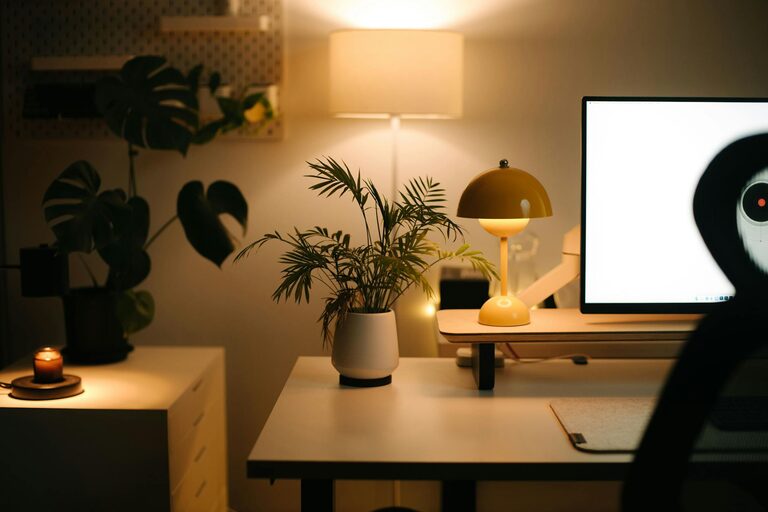
Creating a cozy and inviting home office space can transform your workday and boost your productivity. Whether you work from home full-time or just need a quiet place to focus occasionally, setting up a comfortable and personalized workspace makes all the difference. Here are some practical tips to help you design a home office that feels welcoming, inspiring, and efficient.
Choose the Right Location
Consider Natural Light
Natural light is one of the best features you can include in a home office. It helps reduce eye strain and lifts your mood. If possible, set up your workspace near a window. Arrange your desk to avoid direct glare on your screen while still enjoying daylight.
Find a Quiet Spot
Look for a quiet corner or a less trafficked part of your home where you can work without constant noise or distractions. If space is limited, consider using room dividers or partitions to create a focused environment.
Invest in a Comfortable Chair
Since you’ll be spending hours sitting, a good-quality chair is essential. Choose one that supports your posture with adjustable height, lumbar support, and comfortable cushioning. Remember, comfort reduces fatigue and helps you stay focused longer.
Organize with Smart Storage Solutions
Declutter Regularly
An organized desk helps clear your mind. Keep only essential items on your desk and store the rest in drawers, shelves, or boxes.
Use Functional Storage
Shelves, filing cabinets, and drawer organizers provide easy access to files, stationery, and supplies. Vertical storage options save floor space and create a neat look.
Personalize Your Space
Adding personal touches can make your office feel welcoming and unique.
– Add Plants: Indoor plants improve air quality and add a refreshing natural element.
– Artwork and Photos: Hang artwork or family photos that inspire or calm you.
– Decorative Items: Use items like candles, cushions, or rugs to add warmth and personality.
Enhance Lighting
Good lighting is crucial for comfort and productivity.
Combine Ambient and Task Lighting
Ambient light brightens the room evenly, while task lighting focuses on your desk area. A desk lamp with adjustable brightness helps reduce eye strain during detailed work.
Opt for Warm Light Bulbs
Warm white bulbs create a cozy atmosphere compared to harsh fluorescent lighting.
Create a Functional Layout
Arrange your furniture to promote workflow and comfort.
– Position your desk where you can view the door or window, which often helps concentration.
– Leave enough space to move freely without feeling cramped.
– Keep frequently used items within arm’s reach.
Use Soothing Colors and Textures
Colors affect mood and productivity. Choose calm, neutral tones or soft pastels to create a relaxing environment.
Incorporating different textures, like a soft rug, smooth desktop, or textured cushions, adds visual interest and comfort.
Manage Cables and Technology Neatly
Cable clutter can be distracting. Use cable organizers, clips, or sleeves to keep wires tidy and out of sight. Invest in reliable technology to minimize interruptions, and keep chargers and accessories within reach.
Incorporate Break and Relaxation Zones
If space allows, include a small area with a comfortable chair or cushions for breaks. Stepping away from your desk now and then can refresh your mind and boost productivity.
Maintain a Routine for Cleanliness
A clean workspace improves focus and motivation. Set a weekly routine to tidy your office, dust surfaces, and declutter.
—
Creating a cozy and inviting home office is about combining comfort, functionality, and personal style. With thoughtful planning and these easy tips, you can design a space where you enjoy working and feel inspired every day.




More Stories
Tips for Creating a Cozy and Productive Home Office Space
Tips for Creating a Relaxing Home Workspace to Boost Productivity
Simple Tips to Create a Cozy and Inviting Home Workspace