





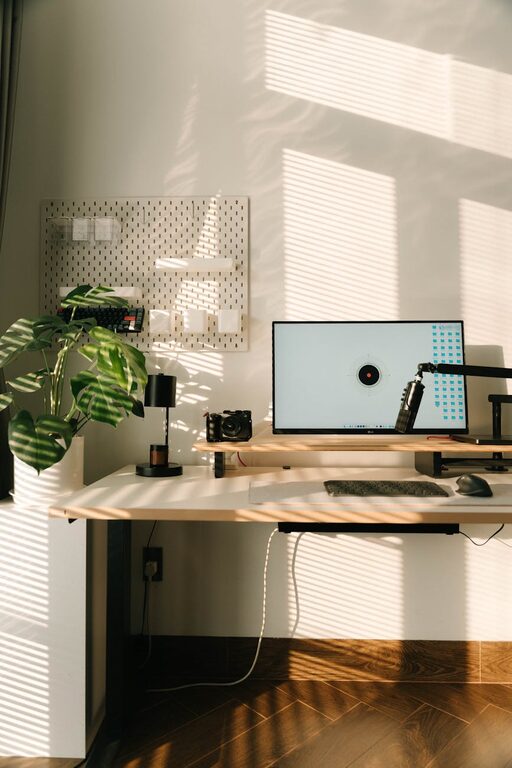
Creating a relaxing home workspace is essential for maintaining productivity and well-being while working remotely or handling home tasks. When your workspace feels comfortable and calming, it’s easier to focus, manage stress, and stay motivated throughout the day. This post offers practical tips to help you design a home workspace that enhances relaxation and productivity.
Why a Relaxing Workspace Matters
Working from home offers flexibility but also invites distractions and stress. A disorganized or uncomfortable workspace can lead to decreased focus, fatigue, and burnout. In contrast, a thoughtfully arranged, relaxing environment can boost your mood, improve concentration, and support your overall productivity.
Choose the Right Location
Find a Quiet Space
Select a spot in your home with minimal noise and foot traffic. This could be a spare room, a corner of your bedroom, or an unused dining area. The quieter the space, the fewer interruptions you’ll experience.
Consider Natural Light
Placing your desk near a window provides natural light, which is known to improve mood and energy. Avoid glare on your computer screen by adjusting the angle or using blinds.
Invest in Comfortable and Functional Furniture
Ergonomic Chair
A good chair supports your posture and helps prevent back pain. Look for adjustable features, including seat height, lumbar support, and armrests.
Spacious Desk
Choose a desk that accommodates your computer, paperwork, and other essentials without feeling cramped. A clutter-free surface promotes a clear mind.
Personalize Your Workspace
Use Calming Colors
Soft, neutral tones like light blues, greens, or grays create a soothing backdrop. You can add pops of your favorite colors through accessories or artwork.
Add Plants
Indoor plants improve air quality and add a touch of nature, which has been shown to reduce stress and increase creativity.
Display Inspiring Items
Photos, quotes, or objects that motivate you contribute to a positive atmosphere while working.
Organize for Efficiency and Calm
Declutter Regularly
Keep only what you need on your desk. Regularly sort through papers and supplies to maintain a tidy environment.
Use Storage Solutions
Drawers, shelves, and organizers help keep materials out of sight while staying accessible.
Manage Cables
Use cable clips or sleeves to prevent cords from tangling and creating visual clutter.
Incorporate Relaxation Elements
Soft Lighting
Use desk lamps or string lights to create warm, gentle lighting that reduces eye strain and fosters a cozy ambiance.
Scent and Sound
Consider an essential oil diffuser with calming scents like lavender or eucalyptus. Background music or white noise can also help maintain focus.
Take Breaks
Set reminders to stand, stretch, or take short walks. Brief breaks reenergize your body and mind.
Maintain Healthy Habits
Establish a Routine
Start and finish work at consistent times to separate your workday from personal time.
Dress Comfortably
Wear clothes that make you feel comfortable yet alert to signal work mode.
Stay Hydrated and Nourished
Keep water and healthy snacks nearby to maintain energy levels.
Final Thoughts
Creating a relaxing home workspace doesn’t require a large investment or complicated changes. By choosing the right location, furnishing it comfortably, personalizing thoughtfully, organizing effectively, and adding calming touches, you set the stage for increased productivity and well-being. Remember, your workspace should support not only your work tasks but also your mental and physical health.
Try implementing these tips one at a time and notice how a peaceful environment can positively impact your daily work experience.




More Stories